Alerting
The alerting system notifies you when data quality scores degrade, helping you maintain continuous oversight of your data quality posture.
How Alerts Work
When a source score decreases after a new analysis is produced, an alert is automatically generated. The platform compares the new score with the previous one and triggers an alert if the quality has degraded.
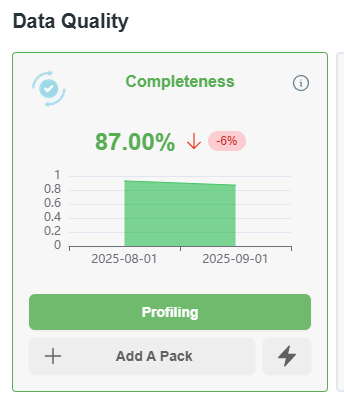
Completeness score decrease
Email Notifications
When an alert is triggered, the platform sends an email notification with details about:
- The pack that produced the analysis
- The source affected
- The previous score and the new score
- The dimension impacted (completeness, accuracy, etc.)
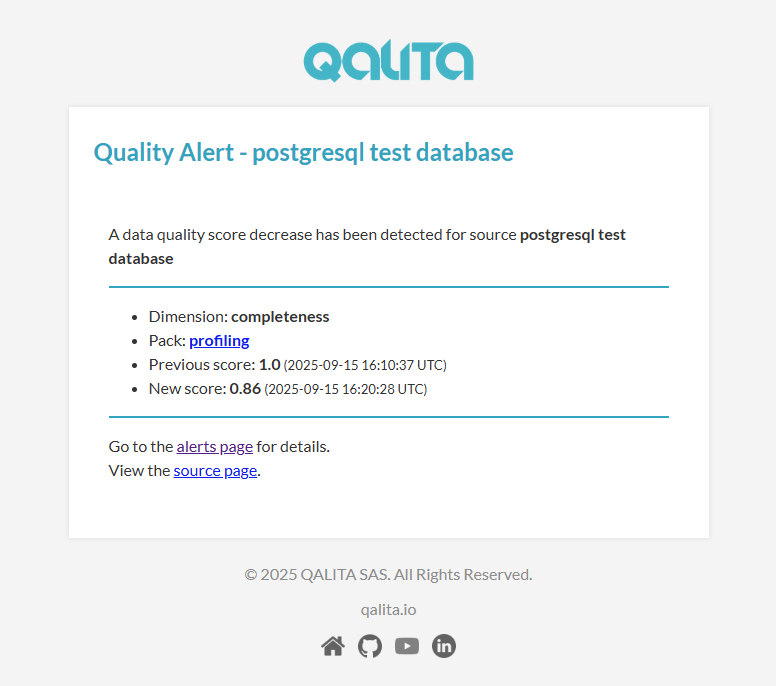
Alert email
Alert Management
You can view and manage all alerts in the Alert Page on the platform. The page provides:
- Alert history: Complete list of all generated alerts with timestamps
- Severity levels: Alerts categorized by severity
- Resolution tracking: Mark alerts as resolved or acknowledged
- Silencing: Temporarily silence alerts for specific sources undergoing maintenance
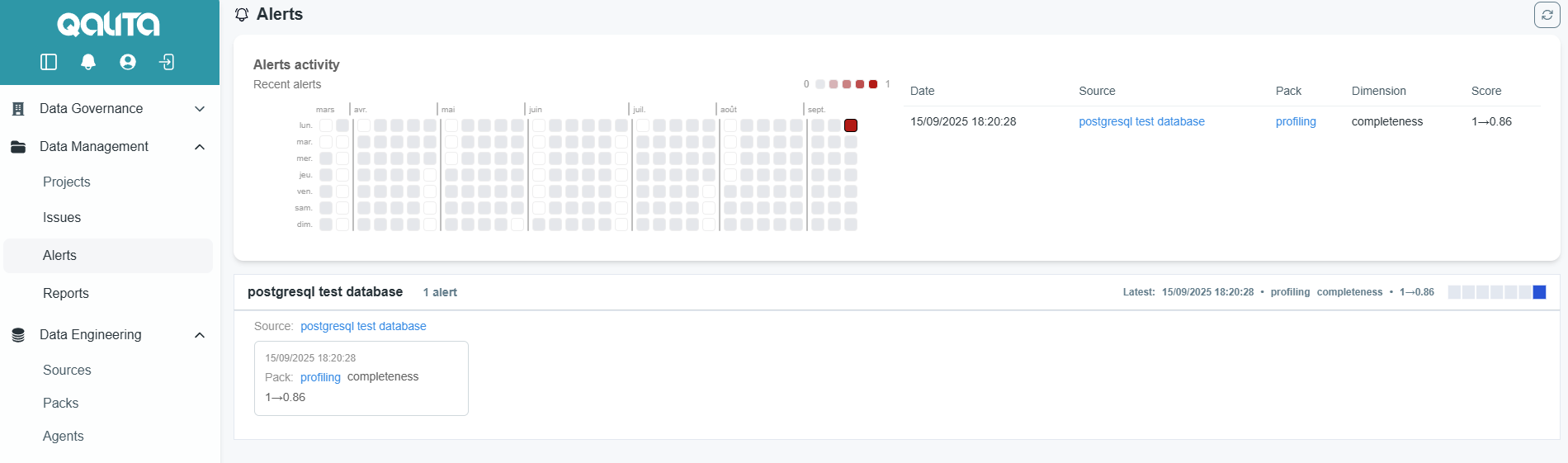
Alerting page
Notification Preferences
If you don't want to receive alerting emails, you can opt-out of alert notifications in your profile page:
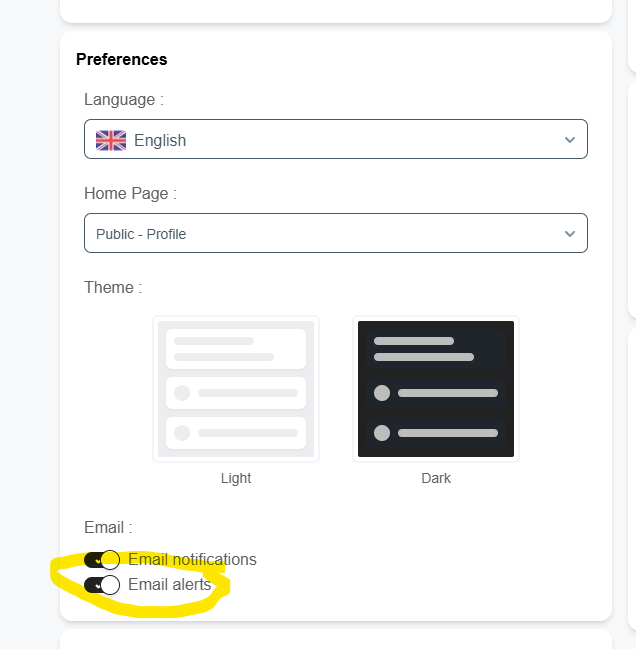
Email alerting settings
Alerts in Governance Dashboard
Alerts are also visible in the Governance Dashboard under the Monitoring & Alerting tab, where you can see aggregated metrics including total alerts, alerts by severity, and average resolution time.